One assistant, many front desks.

Every deployment below runs on the same self-hosted stack: a MeiMei device on the phone line, your own AI provider keys, and the web control panel that shapes how the assistant behaves. All screenshots are from the real software.

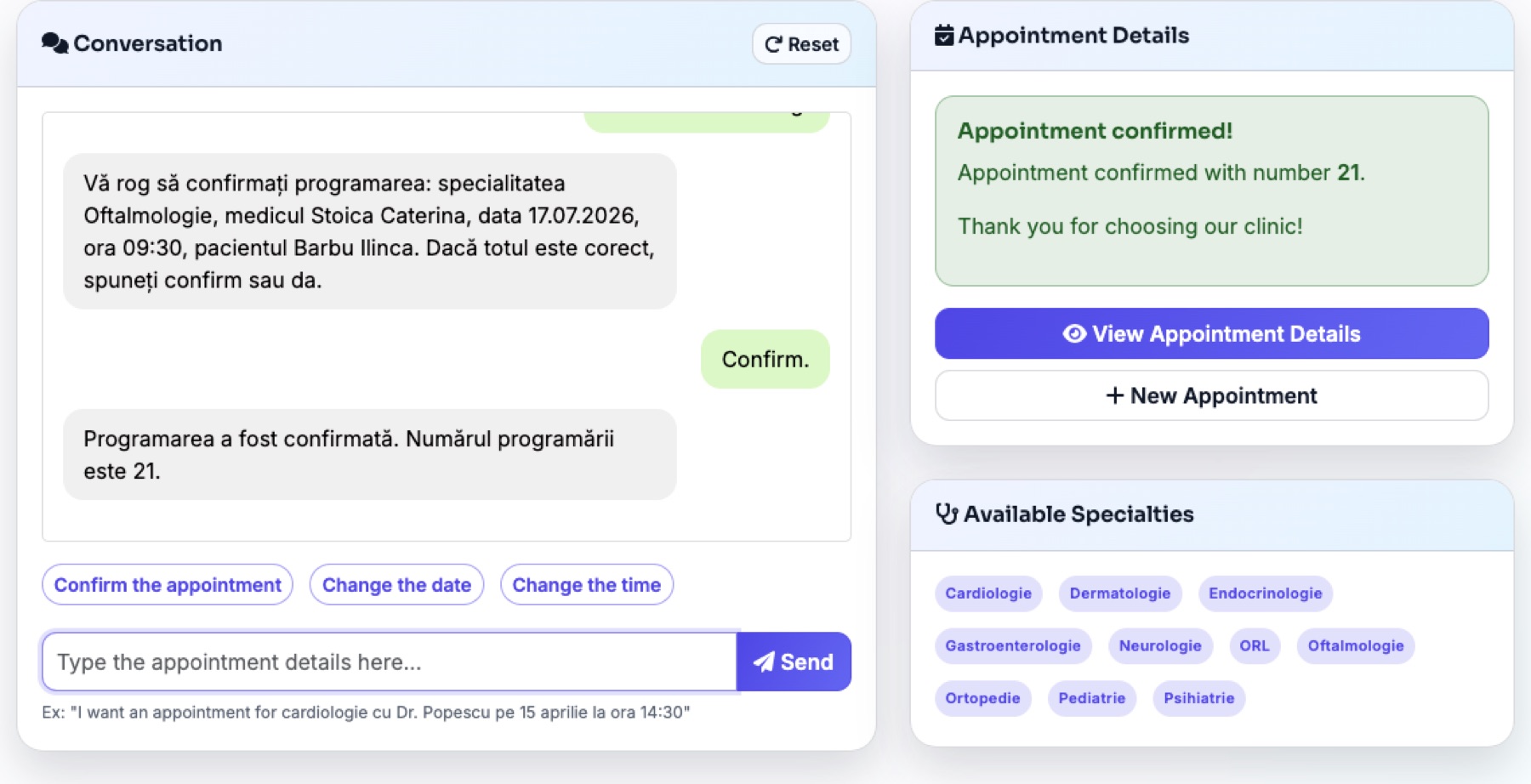
Assistant conversation confirming a medical appointment, with the extracted appointment details beside it
The bundled appointments app: the assistant confirms a real booking while the details panel fills in as the caller speaks.

A front desk that books real appointments.

The assistant answers the practice line, asks what the patient needs, offers only slots that are actually free, and confirms the booking into the scheduling system — while reception stays with the patients in the room.

  • Checks real availability per doctor and specialty, proposes alternatives when a slot is taken, and confirms with a booking number.
  • Collects exactly the patient details you configure — name and phone, or also email, national ID, and birth date — and validates them before booking.
  • The medical scheduling app in the screenshot ships with the stack as a working, open-source example you can use as-is or replace with your own system.
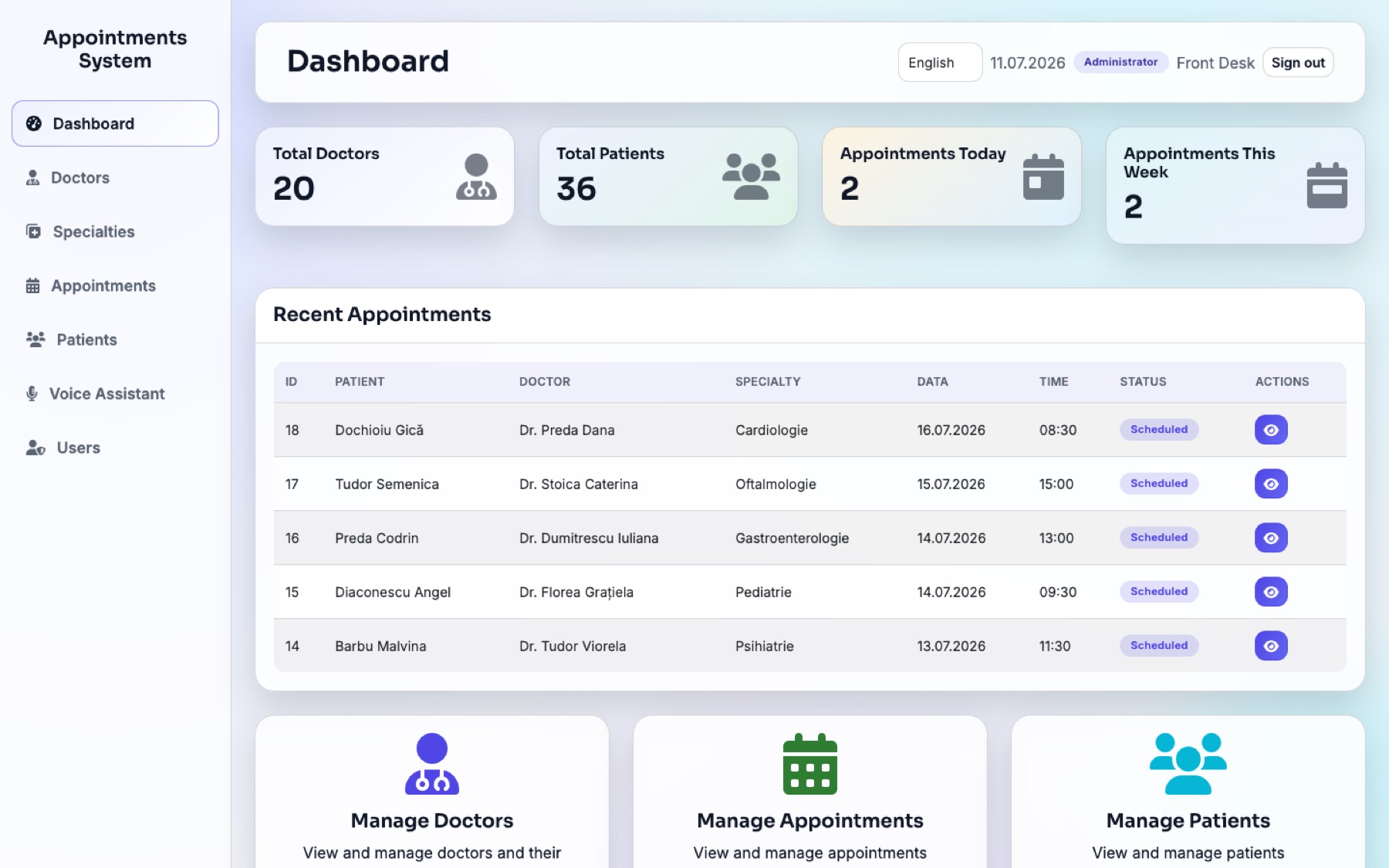
Medical appointments dashboard with doctors, patients, and upcoming appointments
The appointments dashboard bundled with the stack, seeded here with generated demo data.

A reception dashboard and SMS reminders on your own server.

Staff manage doctors, patients, and the day schedule in a web dashboard, while the reminder scheduler texts patients before their visit through the same phone line the assistant answers.

  • Doctors, specialties, patients, and appointments managed in one place, with role-based staff accounts.
  • Automatic SMS reminders go out through the MeiMei device assigned to the clinic — no SMS gateway subscription.
  • Runs next to the assistant on your machine, so patient data never leaves the clinic.
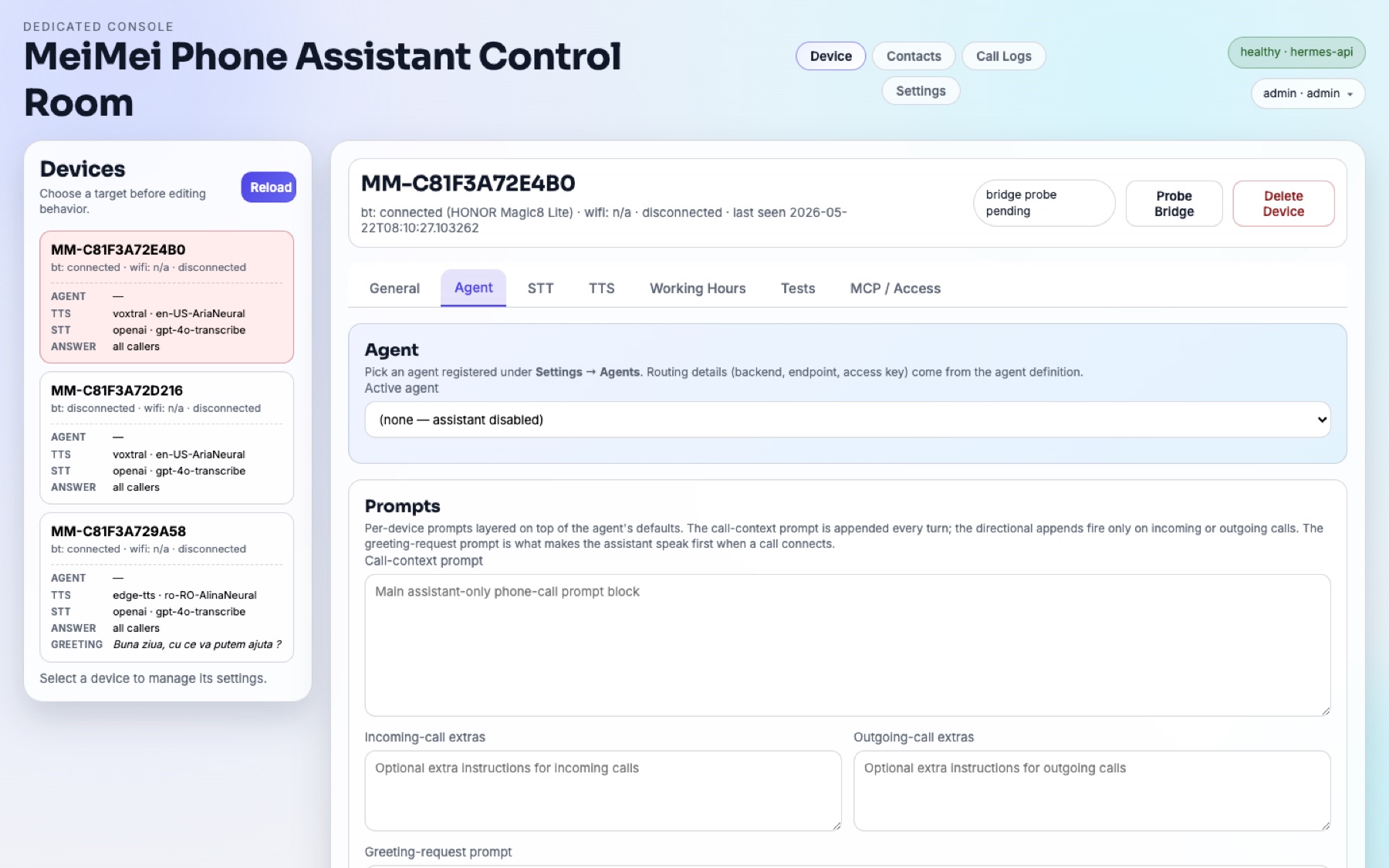
Agent tab of the control panel with per-device prompt fields
Per-device agent prompts in the control panel — the script your receptionist follows.

An after-hours receptionist that never lets a call ring out.

Outside working hours — or when everyone is busy — the assistant picks up, speaks your greeting, answers common questions, and takes messages you review in the control panel the next morning.

  • Working-hours schedule per line decides when the assistant answers and when your team does.
  • Per-line prompts carry your opening hours, prices, and directions — the agent answers from the instructions you write.
  • Every assistant call is transcribed, so you can review the overnight conversations over coffee.
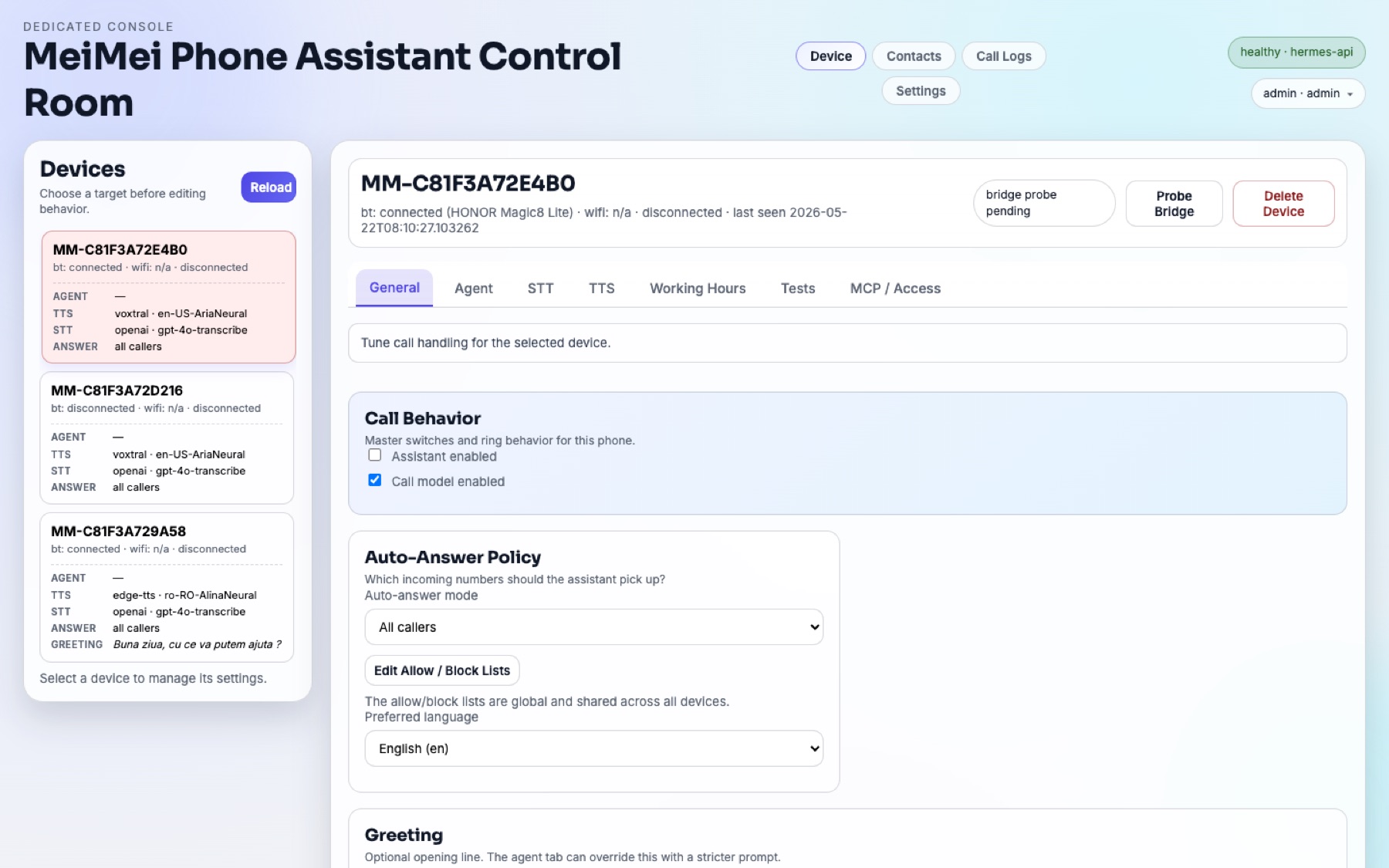
General tab of the control panel with call behavior and auto-answer policy
Call behavior and auto-answer policy for one paired phone.

Answer every call while your hands are on the job.

Tradespeople, drivers, and one-person shops: the assistant picks up when you cannot, tells callers when you are free, and auto-replies to SMS — on your existing mobile number.

  • Auto-answer policy per caller: everyone, or allow/block lists you control from the panel.
  • SMS auto-reply drafts answers with the same agent instructions that drive your calls.
  • Contacts and call history sync from the paired phone, so the assistant knows who is calling.
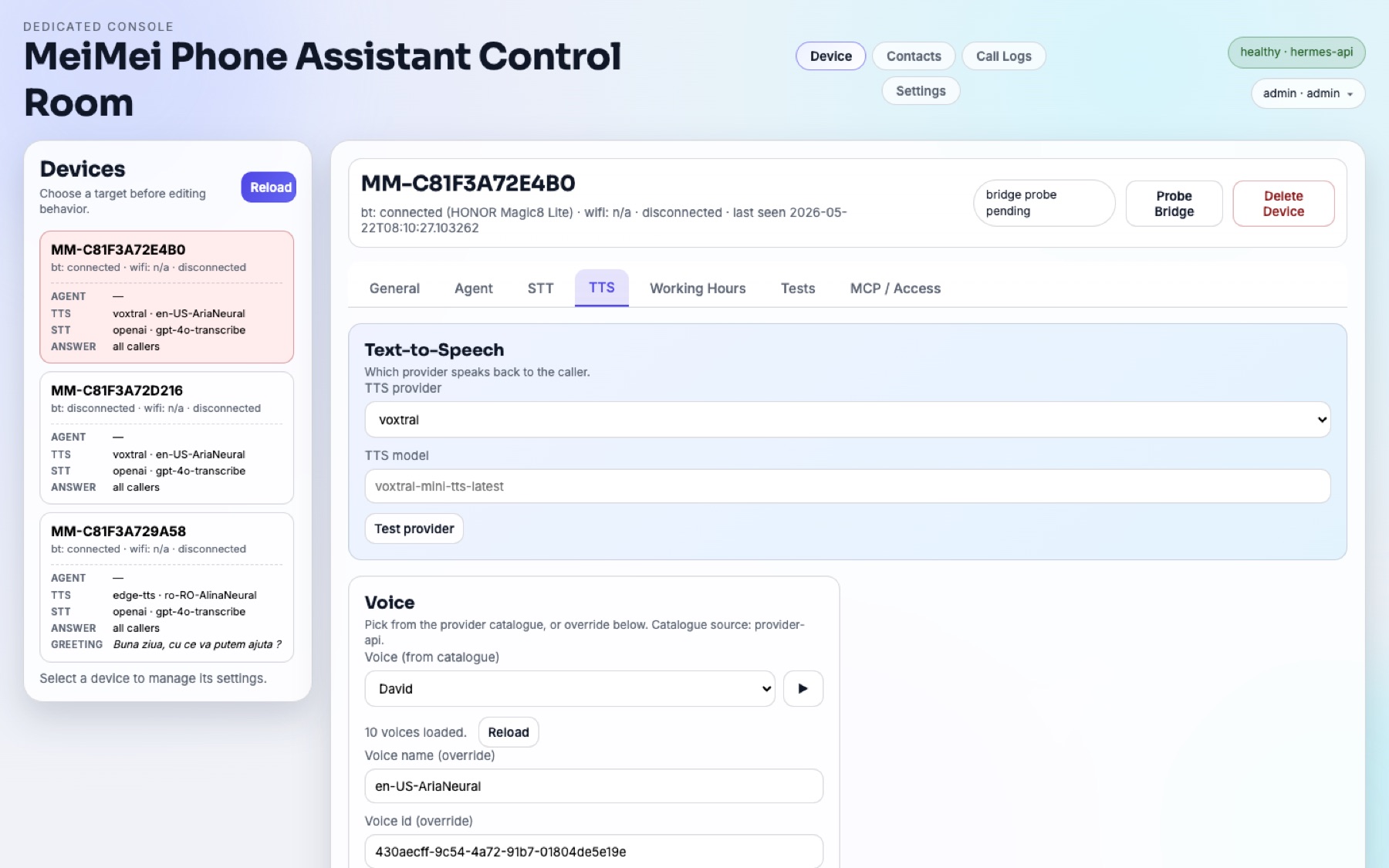
Text-to-speech tab with provider, model, and voice selection
Text-to-speech provider, model, and voice selection for a single line.

Greet every caller in their language.

Pick the preferred language, voice, and speech models per line. Romanian-first with multi-language support means the same deployment can serve a Bucharest clinic and its English-speaking patients.

  • Preferred language per device, with greetings you write yourself.
  • Voice catalogues load straight from your TTS provider — pick a voice and test it in place.
  • Different lines can run different languages, voices, and agents from one backend.
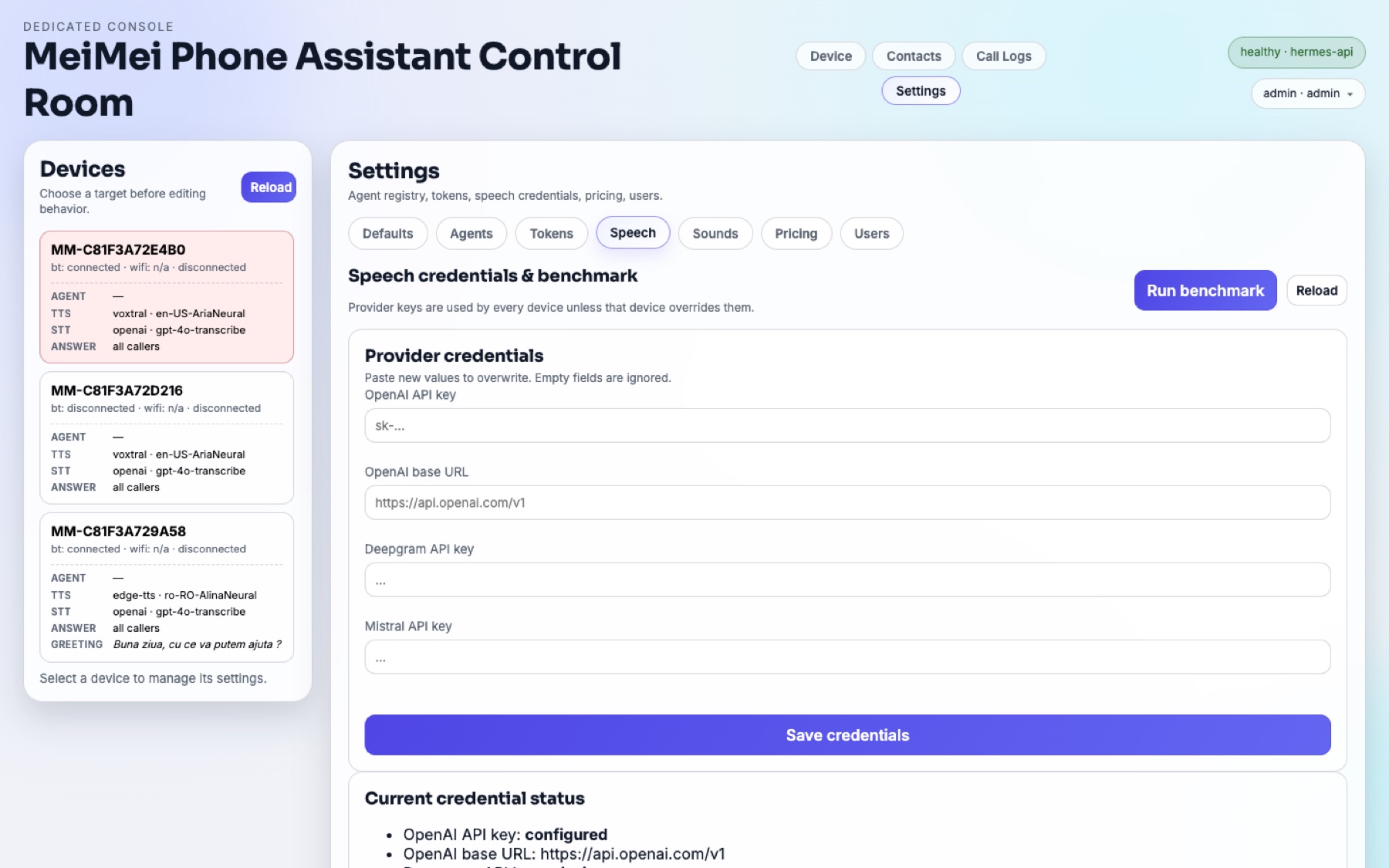
Speech credentials settings with provider keys and credential status
Provider credentials live in your own backend, with a latency benchmark built in.

A phone assistant your data never has to leave home for.

Law offices, therapists, and anyone with confidentiality duties: the whole stack runs on hardware you control, with your own provider keys — and every AI stage can stay on your own hardware if you run a local model and your own speech-recognition server.

  • Transcripts, contacts, and memory live only in your backend — no hosted service, no telemetry.
  • Bring OpenAI, Anthropic Claude, Gemini, Grok, Mistral, OpenRouter — or keep the conversation local with a model you run in Ollama.
  • Speech recognition needs a provider key (OpenAI, Meta or Deepgram) or a whisper-compatible server that you run yourself; this release has no built-in offline speech recognition.
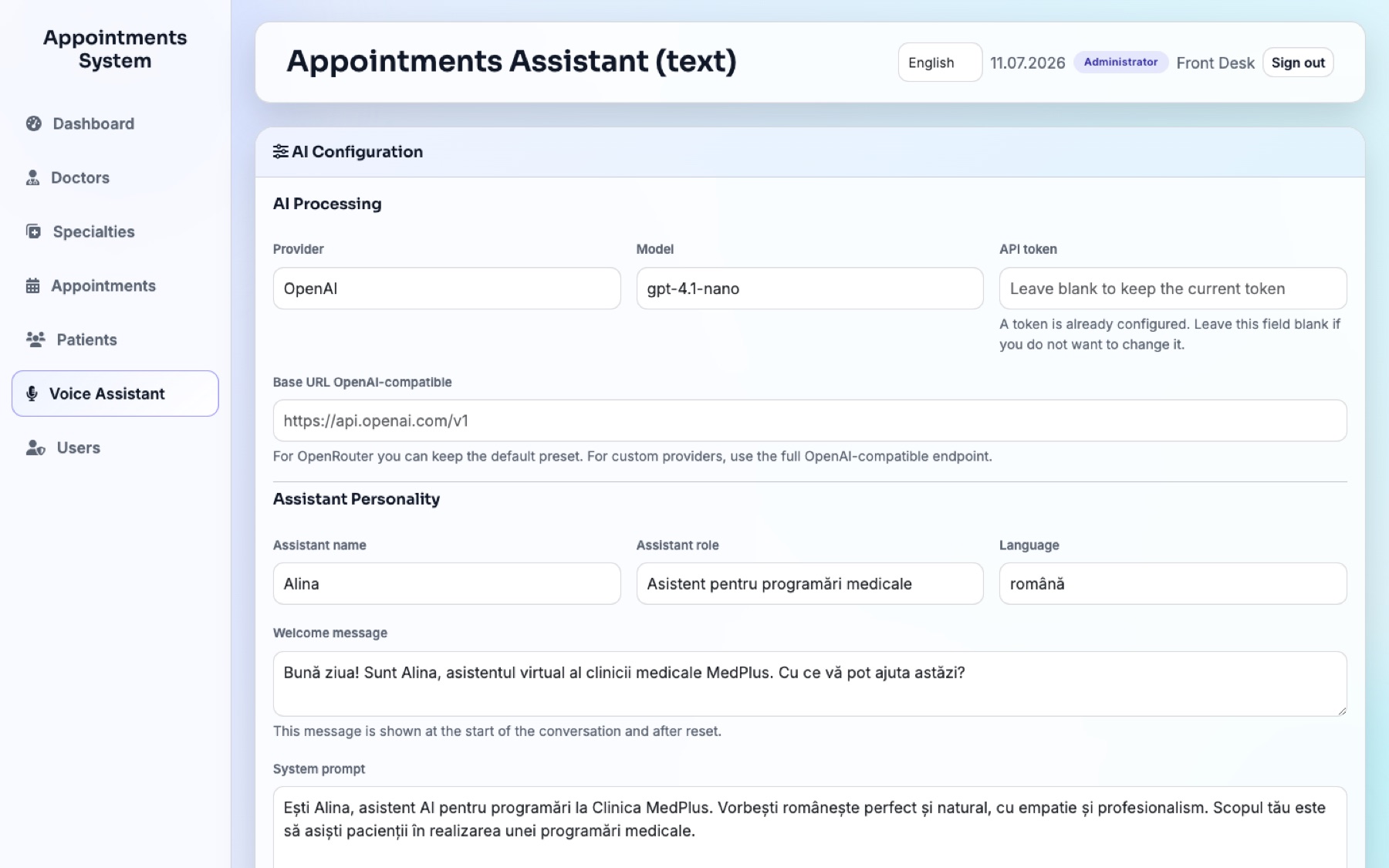
AI configuration screen of the appointments demo with provider, model, and personality settings
The demo integration in the same stack: provider, model, assistant personality, and validation rules.

A phone line your own software can drive.

The MCP endpoint turns each device into a tool your agents can call: place calls, send SMS, and build workflows like the bundled appointments app — which is exactly this pattern, shipped as open source.

  • MCP endpoint with per-device tokens — connect Claude or any MCP client to a real phone line.
  • REST and WebSocket APIs sit behind the same control panel you see in these screenshots.
  • The appointments demo is the reference integration: a small app the assistant books against, MIT-licensed like the rest.

Start with one line.

Every use case above ships in the same box: a MeiMei device, the open-source assistant stack, and a manual that walks you from unboxing to a live agent.