Uses the existing mobile number
Keep the SIM, carrier behavior, and familiar handset while giving the assistant direct call control.
AI Phone Assistant for Your Mobile
Your own AI assistant answers your mobile phone: it understands the caller, replies in a natural voice and takes care of what they need. Run it on your own computer with your own AI provider keys (or MeiMei AI, an optional pay-per-use alternative) — no subscription needed, no telemetry — or, with the Wi-Fi model, let MeiMei Cloud run it for you.
What you get
How it works
The phone stays the radio endpoint on the real carrier line. The device handles Bluetooth call control and transport, while the assistant stack on your machine does speech, memory, and tools.
The device connects over Bluetooth hands-free (HFP) and tracks ring, call, and audio state from the handset.
A setup wizard (setup.sh on macOS or Linux, setup.ps1 on Windows) asks for your provider keys, then starts the assistant and its web control panel in Docker on your machine.
USB model: plug it into the computer that runs the assistant. Wi-Fi model: set up its Wi-Fi once in the MeiMei Firmware Updater and it connects on its own.
Calls stream through the pipeline — speech-to-text, your AI provider, text-to-speech — with per-caller memory across repeat calls.
From the control panel
Real screenshots from a live MeiMei Phone Assistant control panel — the web console you use to run your devices, agents, and speech settings.
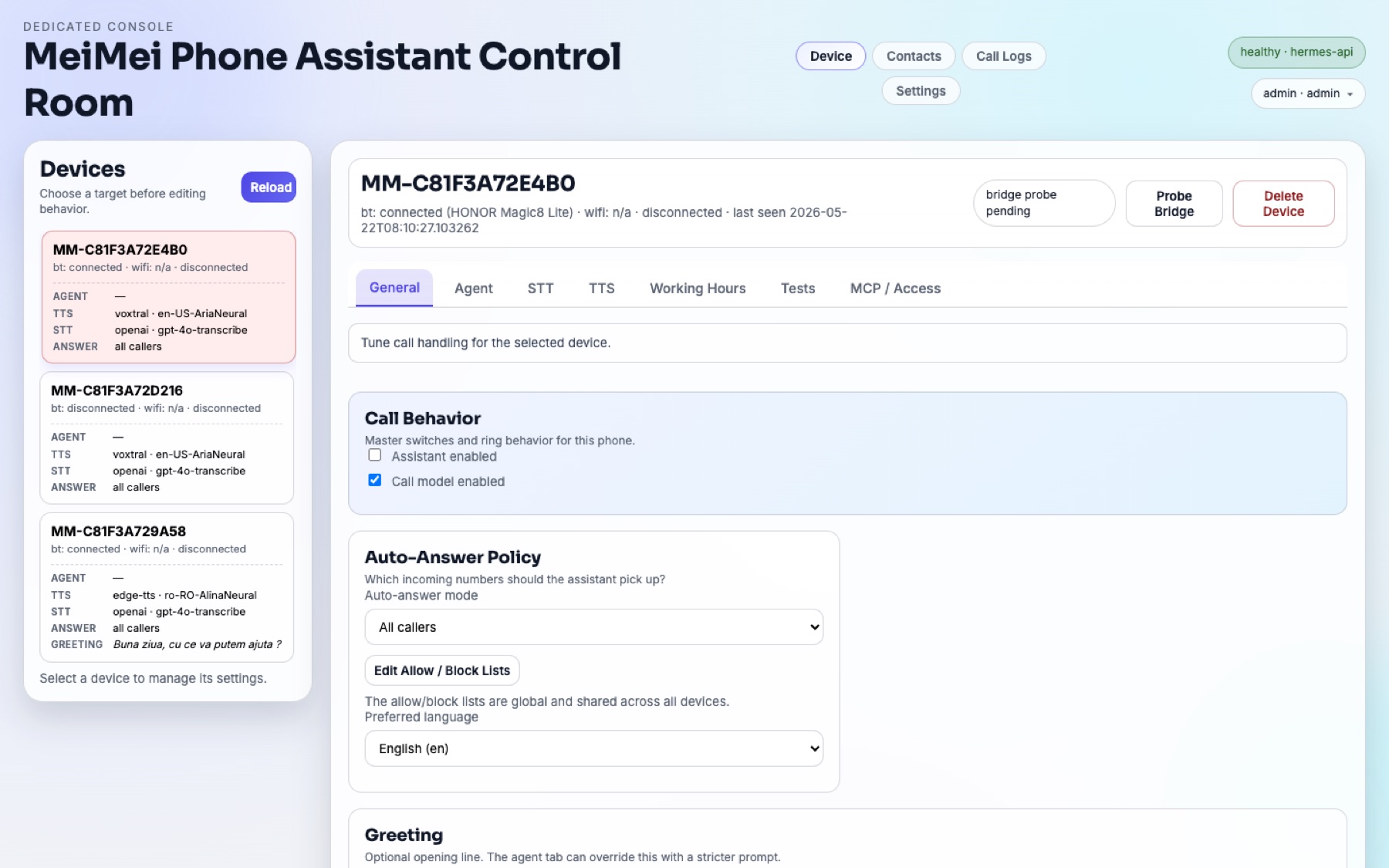
Each paired phone gets its own workspace: call behavior, auto-answer policy, preferred language, and greeting.
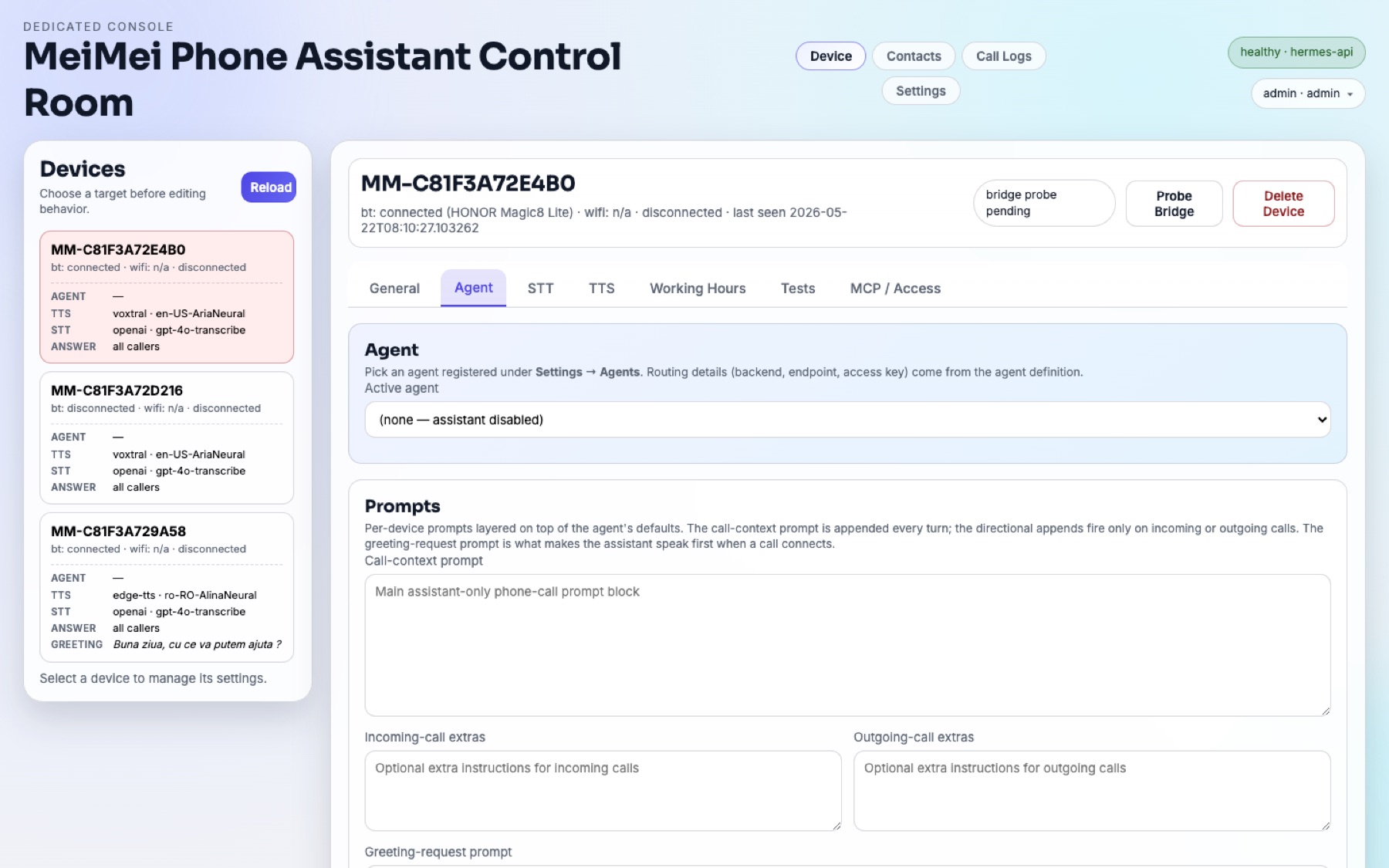
Layer call-context, incoming, and outgoing prompts on top of a registered agent for each device.
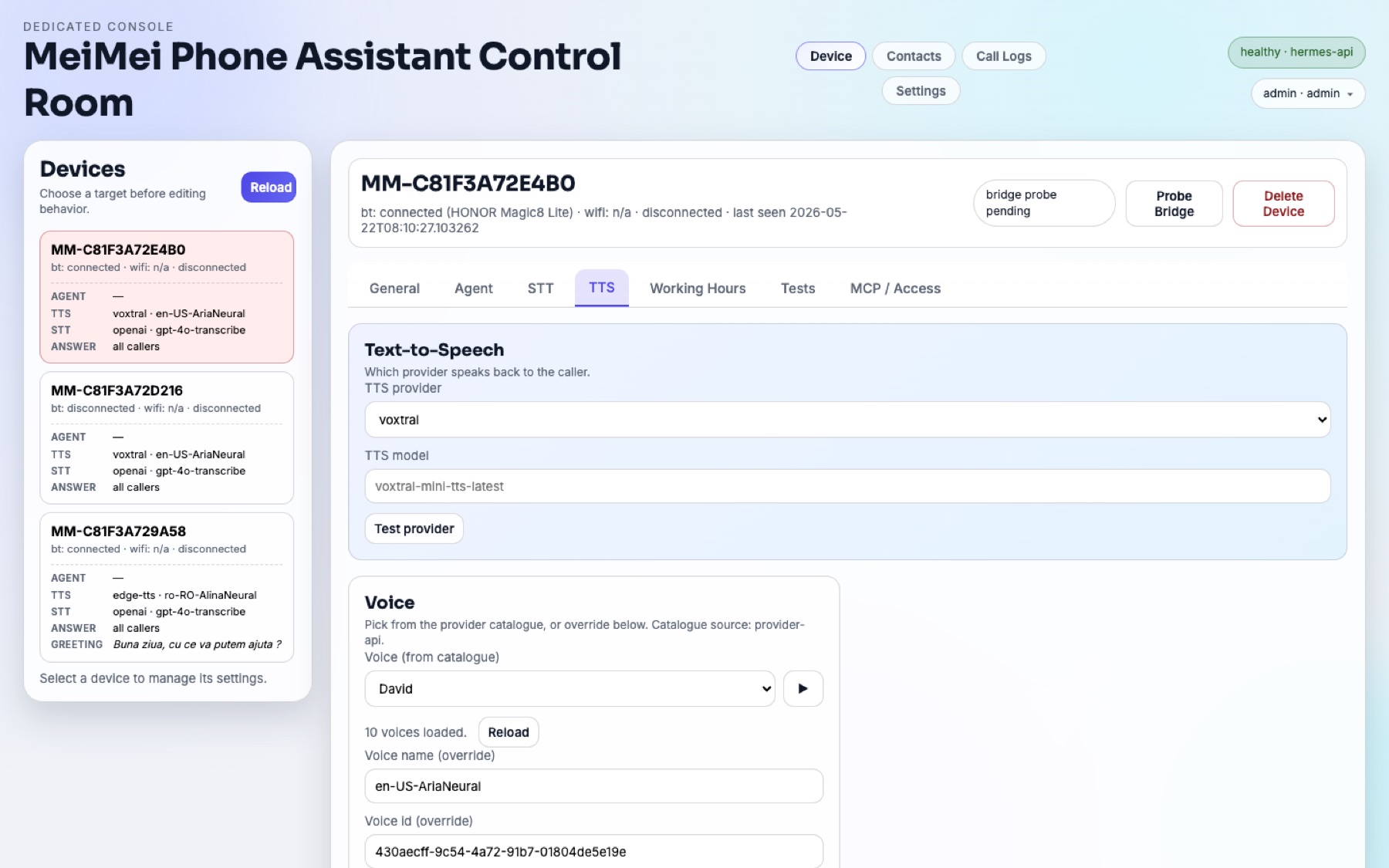
Pick the speech-to-text and text-to-speech provider, model, and voice for every line, and test them in place.
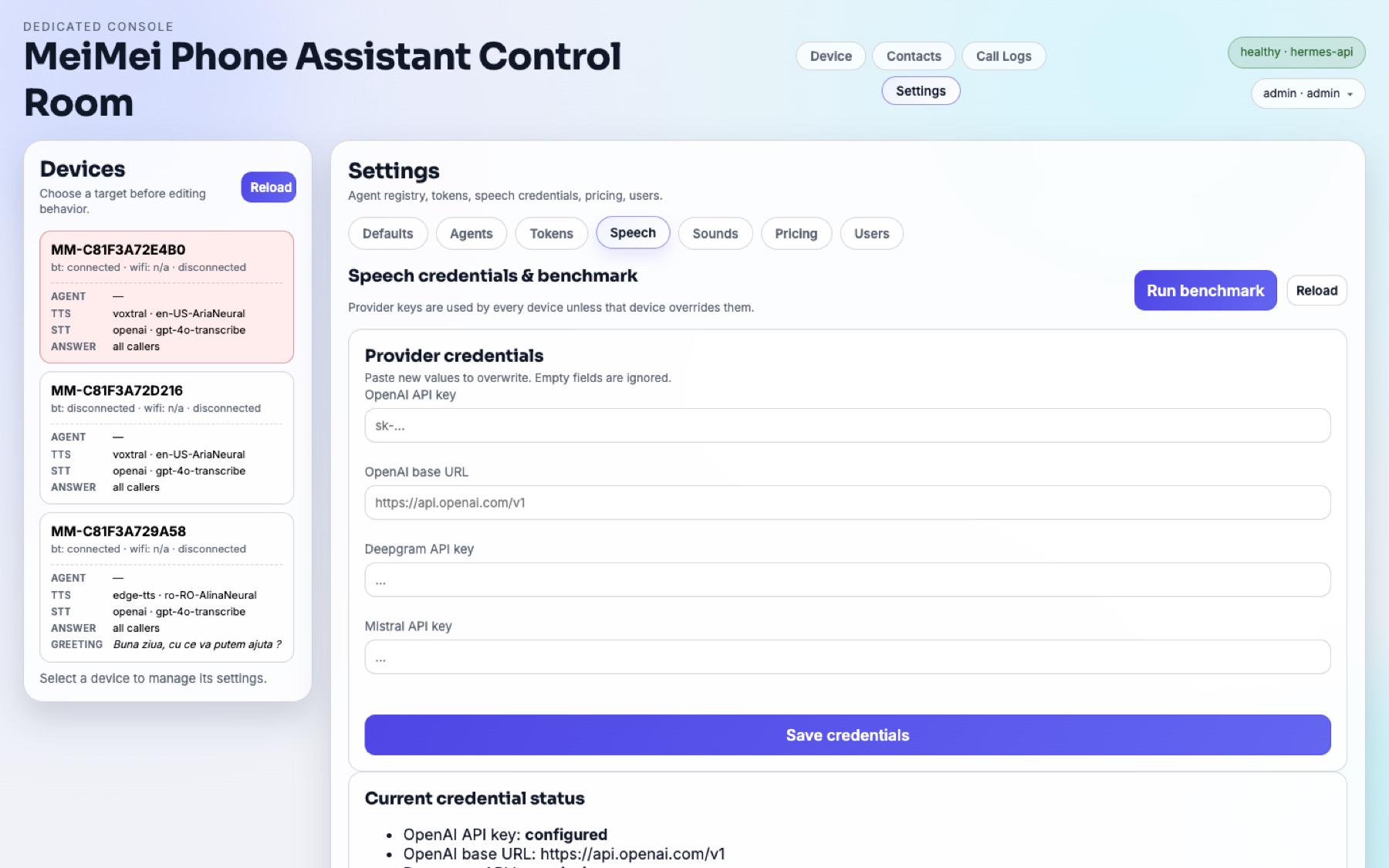
Provider credentials are stored in your own backend, with a built-in latency benchmark to compare providers.
Why teams buy it
Keep the SIM, carrier behavior, and familiar handset while giving the assistant direct call control.
The self-hosted assistant runs on your hardware with your provider keys: transcripts, contacts, and memory stay in your own backend, with no telemetry. MeiMei Cloud is optional and never stores call audio.
Start with one device, then roll out coordinated hardware packages for multi-phone or team deployments.
The assistant software is open source (MIT) at github.com/evosystems/meimei-phone-assistant. Audit the code, build it yourself, and never depend on us to keep your assistant running.
Specifications
The product story stays centered on the calling workflow. The controller, pipeline, and integration details live here for buyers who want the implementation shape.
Two models share one main board with an ESP32 module and a status screen. USB model: that module handles Bluetooth hands-free telephony and a USB serial link to your computer; it has no Wi-Fi. Wi-Fi model: the main board joins your 2.4 GHz Wi-Fi and a second Bluetooth module handles the phone. Both are updated over USB only.
16 kHz call audio with voice-activity detection and caller barge-in. Optional realtime voice (preview, off by default, per device): GPT-Live-1 answers the call directly with your own OpenAI key, with EU processing available. The speech pipeline stays the default and takes over if a realtime session fails. Romanian is not yet confirmed for GPT-Live-1.
Conversation: OpenAI, Anthropic Claude, Google Gemini, xAI Grok, Mistral, Meta Muse Spark (via OpenRouter), OpenRouter, local Ollama, or any OpenAI-compatible endpoint. Listening needs a speech-recognition key from OpenAI, Meta or Deepgram, or your own whisper-compatible server; one OpenAI key can cover everything. Spoken replies use the built-in online Edge voice, with no extra key.
Web control panel for devices, live transcripts, agents, speech settings, and allow/block lists. SMS auto-reply, contact and call-log sync from the phone, and an MCP endpoint so MCP clients can place calls and send SMS.
Two models
Both models pair with your phone over Bluetooth, have a status screen and run the same assistant software on your computer. They differ in how the device reaches that computer.
One board with one ESP32 module and the screen. It talks Bluetooth to your phone and connects to your computer with a USB cable.
The same main board with the screen, plus a second Bluetooth module. The main board joins your 2.4 GHz Wi-Fi; the second module handles Bluetooth to your phone.
Deployment bundles
One device for one paired mobile phone.
One MeiMei device for one phone: Bluetooth hands-free (HFP) pairing, a status screen, and a link to your computer by USB cable or over Wi-Fi, depending on the model. Includes free firmware updates and setup help by e-mail. Best for a first live deployment.
Two devices for home and office, or for primary and backup phones.
Two separate MeiMei devices, each paired with its own phone, managed from the same control panel on your computer. Includes free firmware updates and setup help by e-mail. Good when you need two live lines or a backup line.
Five devices for agencies, clinics, studios, or multi-number teams.
Five MeiMei devices, each paired with its own phone, all managed from one control panel on your computer, with its own agent, voice and working hours per line. Includes free firmware updates and setup help by e-mail.
Ten devices for larger operations, labs, and staffed call teams.
Ten MeiMei devices, each paired with its own phone, all managed from one control panel on your computer. Your own tools can place calls and send SMS through the local MCP endpoint. Includes free firmware updates and setup help by e-mail.